In the dynamic realm of e-commerce, the pursuit of excellence knows no bounds. Picture this: the thrill of clinching the coveted #1 Best Seller Rank (BSR) on Amazon, a symbol of triumph and recognition in the digital marketplace. But as we step into the futuristic landscape of 2024, the burning question lingers: Does a #1 Amazon Best Seller Rank still reign supreme?
The resounding answer? Absolutely, and here’s why!
Beyond a mere vanity metric, the #1 Amazon BSR is a game-changer that directly supercharges sales. Picture this: a staggering 41.5% surge in units sold per week for sellers who ascend to the top BSR echelon. This isn’t just a stroke of luck—it’s the potent impact of Amazon’s algorithms and promotional prowess at play.
When a product secures a #1 BSR, Amazon’s algorithms sit up and take notice. They thrust the spotlight on your product, showering it with badges, premium placements in email blasts, and direct messages to eager shoppers. The result? A turbocharged boost in visibility, credibility, and sales that can propel your business to unprecedented heights.
But wait, there’s more! The Best Seller badge isn’t just a shiny ornament—it’s a beacon of trust and validation that beckons customers to your doorstep. The social proof of a top BSR signals to buyers that your product is not just popular but trusted and revered within its category. This halo effect of credibility can work wonders, nudging hesitant buyers towards a purchase and kickstarting a virtuous cycle of escalating sales and soaring BSR rankings.
So, how can you seize the reins and gallop towards that coveted #1 Amazon Best Seller Rank in 2024?
Unlocking the pinnacle of success that is the #1 Amazon Best Seller Rank requires a strategic approach that goes beyond mere chance or luck. In the intricate world of Amazon BSR, the secret lies in understanding the unique dynamics of each category, where calculations are intricately tied to the volume of products sold on an hourly basis. Forget about customer reviews or sales rank—here, it’s all about the rhythm of sales frequency.
In order to clinch the coveted #1 Amazon Best Seller Rank, you must elevate the pace of your sales. This involves fine-tuning your titles, images, product descriptions, and advertisements to drive customer engagement. To harness the full potential of the hourly Best Seller Ranking process, it’s essential to continually optimize these aspects and revise your pricing every hour.
It’s not just about reaching the top—it’s about staying there, thriving, and setting new standards of success in the ever-evolving landscape of online retail. Experience a difference with a FREE Market Aspex Audit.
Managing a Facebook Page effectively requires understanding and assigning appropriate roles and permissions. This comprehensive guide will walk you through the various roles available, how to assign them, specific actions and methods for granting access, and troubleshooting common issues.
Facebook Page Roles and Permissions
Facebook offers distinct roles for Page management, each with specific permissions:
Admin: Full control over the Page, including managing roles, settings, content, and messages.
Editor: Can edit the Page, create and delete posts, send messages, and respond to comments.
Moderator: Can respond to comments and messages, remove comments, and view insights.
Advertiser: Can create ads and view insights.
Analyst: Can view insights and see who published content.
For a detailed breakdown of each role’s capabilities, refer to Facebook’s Help Center. Log in or sign up to view
Your time is valuable. Let us manage your social media for you. Stay focused on growing your business while we take care of your brand’s voice, visibility, and engagement online. Get started with our expert team today.
Your time is valuable. Let us manage your social media for you. Stay focused on growing your business while we take care of your brand’s voice, visibility, and engagement online.
To manage your Page effectively, it’s crucial to assign the appropriate roles to team members. Here’s how:
Navigate to Your Page:
Log into Facebook and go to your Page.
Access Settings:
Click on your profile picture in the top right corner.
Select “Settings & Privacy,” then “Settings.”
Screenshot Example
Manage Page Access:
In the left-hand menu, click on “Page Setup.”
Select “Page Access.”
Screenshot Example
Add New Person:
Under “People with Facebook access,” click “Add New.”
Enter the individual’s name or email address.
Choose the appropriate role (e.g., Admin, Editor).
Click “Give Access” and enter your password to confirm.
Screenshot Example
Stop missing out on leads because you’re too busy to post. Consistent, professional social media management is just one call away. Let’s grow your business online while you focus on what matters most.
Tap the three horizontal lines (menu) in the bottom right corner.
Select “Pages” and choose your Page.
Tap the gear icon (Settings) in the top right corner.
Click on Page Setup.
And then Page Access
Screenshot Example
Manage Page Access:
Tap “Add New.”
Enter the individual’s name or email.
Select the desired role and tap “Add.”
If you want to give full access click on toggle.
Screenshot Example
Managing Facebook Page Roles
Regularly reviewing and updating Page roles ensures that the right individuals have appropriate access:Constant Contact
Changing Facebook Page Roles: To modify someone’s role, navigate to “Page Access,” find the person, click “Edit,” select the new role, and save changes.
Removing Facebook Page Access: To remove someone’s access, go to “Page Access,” locate the individual, click “Remove,” and confirm your decision.
Screenshot Example
Using Business Manager for Page Access
Facebook Business Manager allows for centralized management of multiple Pages and ad accounts:
Under “Accounts,” select “Pages” and click “Add.”
Choose “Add a Page” and enter your Page name or URL.
Screenshot Example
Assign Roles:
Within Business Manager, navigate to “People” under “Users.”
Click “Invite People,” enter the individual’s email, and assign appropriate roles for Pages, ad accounts, etc.
Screenshot Example
Troubleshooting Facebook Page Permissions
Common issues and solutions include:
Can’t Add Admin to Facebook Page: Ensure the individual has liked the Page or is your Facebook friend. Sometimes, searching by their profile URL can help.
Facebook Page Access Not Working: Verify that the person has accepted the invitation. Pending invitations can be found under “Page Access.”
Recover Facebook Page Admin Access: If all admins are removed, use Business Manager to reclaim admin rights or contact Facebook Support for assistance.
Security Tips for Facebook Page Access
To maintain the security of your Page:
Regularly Review Roles: Periodically check and update who has access to your Page.
Use Strong Passwords: Ensure all admins use strong, unique passwords for their accounts.
Enable Two-Factor Authentication: Encourage team members to activate two-factor authentication for added security.
By understanding and effectively managing Facebook Page roles and permissions, you can ensure smooth operation and security for your business’s online presence.
Selling food on Amazon is a fantastic way to reach millions of customers looking for convenient grocery options. With online grocery sales projected to reach $100 billion by 2025, this is the perfect time to start. But navigating Amazon’s requirements, ensuring food safety compliance, and optimizing your business for success are crucial.
Here’s a step-by-step guide to help you sell food on Amazon effectively.
Is Selling Food on Amazon Possible?
Yes, Amazon allows sellers to list and sell food products in the Grocery & Gourmet Food category. Whether you’re offering snacks, beverages, or specialty items, Amazon provides access to a vast customer base.
However, sellers must meet specific requirements to ensure product quality, safety, and compliance with Amazon’s policies.
Advantages and Challenges of Selling Food on Amazon
Benefits of Selling Food on Amazon
Large Market Potential: Online grocery shopping is growing rapidly, with billions in sales projected.
Global Reach: Amazon’s worldwide marketplace gives you access to customers across the globe.
Customer Trust: Shoppers trust Amazon for high-quality products and fast delivery.
Scalability: Fulfillment tools like Amazon FBA make it easier to grow your business.
Challenges to Be Aware Of
Strict Regulations: Amazon has detailed requirements for food safety and labeling.
High Competition: Competing with well-established brands can be tough.
Complex Logistics: Managing temperature-sensitive or perishable items adds an extra layer of complexity.
How to Get Authorized to Sell Food on Amazon
Before listing your products, you need approval to sell in the Grocery & Gourmet Food category. Here’s how to get started:
Submit an Approval Request: Log in to Seller Central, find your product, and follow the prompts to request approval.
Provide Documentation: You may need to submit:
GFSI (Global Food Safety Initiative) or HACCP (Hazard Analysis and Critical Control Point) certifications.
Photos of your product packaging, including labels and expiration dates.
Proof of compliance with local food safety regulations.
Review Process: Amazon will review your submission and let you know if more information is needed.
Seller Requirements and Food Product Standards
Amazon requires food sellers to meet certain criteria to maintain quality and safety standards:
Performance Targets:
Order Defect Rate: Below 1%.
Late Shipment Rate: Less than 4%.
Pre-Fulfillment Cancel Rate: Below 2.5%.
Labeling Standards:
Include a complete ingredient list.
Display expiration dates on each unit.
Add allergen warnings where applicable.
Packaging Guidelines:
Use tamper-proof packaging.
Ensure durability for shipping.
Managing Temperature-Sensitive Food on Amazon
Selling refrigerated, frozen, or temperature-controlled food requires extra care to meet Amazon’s standards:
Storage Temperatures:
Refrigerated: Maintain 32°F–40°F.
Frozen: Keep at 0°F or below.
Packaging Materials:
Use insulated containers or boxes with gel packs.
Dry ice can be used for frozen items but must follow shipping regulations.
Labeling: Clearly mark packages as “Keep Refrigerated” or “Keep Frozen” to inform handlers and customers.
Staying Compliant with Amazon’s Food Rules
Staying compliant is key to avoiding penalties and maintaining a successful Amazon business:
Follow FDA and USDA Guidelines: Ensure your products meet federal food safety standards.
Use Food Safety Tools: Platforms like FoodDocs help streamline compliance with automated monitoring and documentation tools.
Inspect Storage and Packaging: Regularly check facilities to ensure cleanliness and proper temperature controls.
Tools and Strategies for Success as a Food Seller
To maximize your success, leverage these tools and tips:
Inventory Management Software: Use tools like RestockProto prevent stockouts and optimize storage.
Keyword Optimization Tools: Platforms like Helium 10 help identify popular search terms to improve product visibility.
High-Quality Product Images: Include professional photos that showcase packaging, labels, and product use.
Reliable Suppliers: Build partnerships with reputable manufacturers or distributors to ensure consistent quality.
Marketing Campaigns: Run Amazon PPC ads to target specific customer searches and boost sales.
Tips for Selling Food on Amazon
Choose High-Demand Products: Focus on trending categories like organic snacks, gluten-free foods, or keto-friendly items.
Optimize Product Listings: Include relevant keywords like “healthy snacks” or “low-carb meals” in your titles and descriptions.
Focus on Customer Reviews: Positive feedback boosts your credibility and attracts new buyers.
Run Promotions: Offer discounts, coupons, or bundles to increase sales volume.
Monitor Your Performance: Regularly review your order defect rate, customer feedback, and inventory levels.
FAQs About Selling Food on Amazon
Q1: Do I need FDA approval to sell food on Amazon? No, but your products must comply with FDA regulations and Amazon’s food safety requirements.
Q2: What are the best-selling food products on Amazon? Popular items include snacks, coffee, organic foods, and specialty diets like keto or vegan products.
Q3: Can I sell perishable foods on Amazon? Yes, but you must meet Amazon’s temperature control and packaging requirements.
Q4: How do I stay compliant with Amazon’s rules? Use tools like FoodDocs, regularly inspect storage conditions, and follow Amazon’s seller guidelines.
Selling food on Amazon is a lucrative opportunity, but it requires attention to detail, compliance, and effective marketing strategies. By following these steps and leveraging Amazon’s tools, you can build a thriving food business.
Amazon offers millions of products from various sellers, but sometimes you want to find a specific seller for customer support, inquiries, or to browse their store. Whether you’re a buyer or another seller looking to connect, this guide will show you all the possible methods to find a seller on Amazon.
Why Would You Want to Find a Seller?
There are several reasons to look for a seller on Amazon:
Contact for Product Issues: Reach out for missing parts, returns, or warranties.
Explore Their Store: Check out other products they offer.
Confirm Authenticity: Ensure the product is coming from a legitimate seller.
Leave Feedback: Provide seller feedback based on your shopping experience.
Methods to Find a Seller on Amazon
Here are all the ways you can find a seller on Amazon, step by step.
1. Search for a Seller via a Product Listing
If you’ve already purchased or are looking at a product from the seller:
Locate the Seller’s Name:
On the product detail page, check under the “Buy Now” button where it says “Sold by [Seller Name]”.
Click the Seller Name:
This will take you to the seller’s storefront.
Explore Their Storefront:
Browse their other products or scroll down to find the “Contact Seller” button.
Screenshot Example:
Look for “Sold by [Seller Name]” beneath the Buy Box.
After clicking, you’ll be taken to their profile/storefront.
Select “Something Else” and explain that you’re trying to find a specific seller.
Tips for Finding Sellers on Amazon
Check Multiple Listings: Some sellers offer products in multiple categories, so check related listings.
Use Accurate Names: Ensure you’re spelling the seller’s name correctly.
Look for Verified Sellers: Look for tags like “Amazon’s Choice” or “Fulfilled by Amazon” for reliability.
FAQs About Finding Sellers on Amazon
Q1: Can I message any seller on Amazon? Yes, if the seller allows messaging. Look for the “Contact Seller” option on their storefront or through your order history.
Q2: What if I can’t find the seller’s name? Reach out to Amazon Customer Support for help in locating the seller.
Q3: Can I leave feedback for a seller? Yes, go to your order history and select “Leave Seller Feedback” under the relevant order.
Conclusion:
Finding a seller on Amazon is simple when you know where to look. Whether you’re reaching out for customer support, checking their other products, or verifying authenticity, Amazon provides multiple ways to connect with sellers.
If you’ve ever tracked an Amazon package, you may have seen the frustrating message: “package delayed in transit. It’s frustrating and often unclear. Does it mean your package is lost, stuck, or just running late?
This guide explains what “delayed in transit” actually means, why Amazon packages get delayed, and what steps you can take to resolve it based on how long the delay lasts.
Amazon’s delivery network has become more complex in recent years, with higher order volumes, more regional facilities, and multiple carrier handoffs. As a result, delays are more common, but they are rarely permanent.
What Does “Package Delayed in Transit” Mean?
When Amazon shows “package delayed in transit,” it means your order is still moving through the delivery network but has missed its expected timeline. The package is typically between fulfillment centers, carrier facilities, or on the way to your local delivery hub.
Importantly, this status does not mean your package is lost. It simply means the delivery is taking longer than originally estimated. In some cases, tracking updates may also include internal Amazon labels, such as Amazon LPN labels, which are commonly associated with returns and reprocessed packages.
“In Transit” vs Other Amazon Tracking Statuses
In transit: Package is moving between facilities or carriers
Out for delivery: Package is with the local driver
Delayed at facility: Package arrived late or missed processing
Delayed at customs: International shipment undergoing inspection
Understanding this difference helps determine whether action is needed or patience is the best option.
Amazon does not classify a package as lost immediately. Delays often occur due to scanning gaps, facility congestion, or transportation issues. Many packages resume movement within a few days without intervention.
Generally:
1–3 days delayed: Normal and usually resolves automatically
4–7 days delayed: Worth monitoring more closely
7+ days with no updates: Higher chance of replacement or refund eligibility
If tracking shows no movement for an extended period, Amazon may internally flag the order for investigation.
Top Reasons Why Amazon Packages Get Delayed in Transit
Knowing why your package is delayed helps reduce the stress of the waiting game. Here are the most common reasons for Amazon shipping delays:
1. Weather Conditions
Bad weather can wreak havoc on delivery schedules. Snowstorms, floods, or hurricanes can halt transportation, leading to delays. Even a minor weather disturbance can result in your package being delayed in transit.
2. Peak Shopping Seasons
During busy times like Black Friday, Cyber Monday, or the holiday season, Amazon’s shipping network faces a massive surge in orders. With so many packages moving through, some shipments may get delayed.
3. Logistical Errors
Occasionally, routing mistakes occur where a package is sent to the wrong facility. While rare, this can add a day or two to your delivery time. Packages that are reprocessed, relabeled, or routed through returns workflows may receive internal tracking identifiers, which is often why customers see references to LPN stickers on Amazon packages.
4. Customs Delays (International Orders)
If you’re ordering from another country, your package might be delayed by customs checks. This happens when your shipment requires additional screening, paperwork, or duty payments.
5. Mechanical Issues
Delivery trucks, planes, or even robots can experience technical problems. These mechanical issues can lead to a package delayed in transit notification.
When Shipping Delays Break Your Metrics (Not Just Deliveries)
When an Amazon package is delayed in transit, most sellers treat it as a customer service issue. Apologize, wait, maybe issue a refund, then move on.
But for growing brands, shipping delays quietly do far more damage than late deliveries. They corrupt the data used to make growth decisions.
When orders arrive late, the impact shows up downstream in ways most dashboards never isolate:
ROAS becomes unreliable Ads may still get credit for conversions, but delayed delivery increases cancellations, returns, and negative feedback that never get attributed back to the original traffic source.
Refund rates inflate without context Customers are more likely to request refunds for delayed orders, even when the product itself is not the issue. Refund spikes often get misdiagnosed as product or ad quality problems.
Lifetime value drops silently Late deliveries erode trust. First-time customers who experience delays are far less likely to reorder, lowering LTV even though acquisition metrics look stable.
The problem is not that delays happen. The problem is that most brands cannot see how delays distort performance metrics across marketing, revenue, and customer experience.
Without that connection, teams make decisions based on partial truth. Budgets get cut in the wrong places. Campaigns get blamed unfairly. Growth feels unpredictable even when demand is strong.
At scale, shipping delays stop being a logistics issue. They become a visibility problem.
If delivery issues are distorting your performance metrics, the problem isn’t logistics alone. It’s visibility.Market Aspex helps brands regain control through unified analytics that connect fulfillment reality to revenue truth.
👉 Explore how Market Aspex can help you clarify your data and scale with confidence.
What to Do When Your Amazon Package Is Delayed
Now that we know the most common reasons for delays, let’s look at a few solutions.
1. Check the Tracking Information
Start by reviewing the tracking details. It tells you exactly where your package is and whether there’s an updated delivery date. If it’s stuck in transit for more than a few days, it might be time to take action. For deeper visibility, some users also rely on Amazon advanced search tools to research order details, sellers, or related listings tied to their shipment.
2. Contact Amazon Support
If your package is delayed longer than expected, you can always reach out to Amazon’s customer service. They may offer you a refund on shipping, send a replacement, or escalate the issue to their logistics team.
3. Consider the Amazon A-to-Z Guarantee
Amazon offers the A-to-Z Guarantee for third-party sellers. If you don’t receive your package on time, you can file a claim to get your money back or request a replacement.
What If My Amazon Package Is Delayed With No Updates?
When tracking shows no movement for several days, take action based on the timeline:
After 3–4 days: Contact support for clarification
After 7 days: Request a replacement or refund
After investigation: Amazon typically resolves the order automatically
If Amazon confirms the package is lost, you will not be charged.
Tips to Avoid Future Amazon Package Delays
While you can’t control every factor, there are a few things you can do to reduce the chances of experiencing package delays in the future:
Choose Priority Shipping: Opting for priority or expedited shipping can help you get your package faster, especially during busy seasons.
Order Early During Holidays: Plan ahead and order items before the holiday rush.
Use Amazon Lockers: Amazon lockers offer a secure and often quicker delivery option, especially if you live in a busy area.
Why Delayed Packages Are Common, but Rarely Permanent
While delays are inconvenient, most packages arrive eventually. Amazon has a strong logistical network that prioritizes getting items to customers as quickly as possible. Delays due to weather, customs, or routing issues are usually temporary and get resolved within a few days.
Many brands address these challenges by aligning logistics insights with analytics and data-driven digital marketing servicesthat support predictable growth.
Conclusion: Stay Informed and Act at the Right Time
Now you know why an Amazon package delayed in transit message appears and what you can do about it. By staying informed, checking tracking details, and knowing your options like Amazon’s A-to-Z Guarantee, you can handle these delays without too much stress.
For businesses that depend on Amazon performance, visibility into logistics, traffic, and search behavior often ties into broader growth systems like white hat SEO services designed for long-term stability.
Next time you order something on Amazon, keep these tips in mind to ensure a smoother shopping experience.
FAQs
1. What should I do if my Amazon package is delayed?
Start by checking the tracking information. If there’s no progress for several days, contact Amazon customer support for assistance.
2. How long is too long for a package to be delayed?
A few days’ delay is common, but if it’s been more than a week, it’s time to escalate the issue with Amazon.
3. Can I get a refund for a delayed package?
Yes, in some cases Amazon will offer a shipping refund or replacement if the package is significantly delayed.
4. How long can a package stay delayed before Amazon takes action?
Typically after 7 days with no progress, Amazon may offer a replacement or refund.
5. Does delayed in transit mean the package is stuck in customs?
Only if tracking specifically mentions customs. Domestic delays are usually unrelated.
Instagram Reels are one of the hottest ways to grab attention and grow your audience. But with so much content out there, how do you make your videos stand out? The secret is in your hooks—those first few seconds that either pull people in or let them scroll away. In this easy-to-read guide, we’ll show you the best Instagram hooks for Reels in 2024. Plus, we’ve added 100+ catchy hooks that will help your videos go viral and get more likes, comments, and shares!
Why Hooks Matter on Instagram Reels
Instagram Reels are super short (up to 90 seconds), so if you don’t grab people’s attention fast, they’re gone. A hook is that first moment—whether it’s something you say or show—that makes people stop scrolling and start watching. Think of it like fishing. The hook is what catches the fish, and in this case, the fish is your audience. The stronger the hook, the more people will watch your video until the end.
What Makes a Good Hook?
A great hook does one or more of the following:
Grabs attention: Makes people curious or surprised.
Teases something: Hints that something cool is coming.
Asks a question: Gets people thinking or wanting to answer.
Solves a problem: Offers a quick tip or life hack.
To help you out, we’ve gathered 100+ hooks that will keep your audience hooked (pun intended) from the very start.
100+ Trending Hooks for Instagram Reels in 2024
Here’s a huge list of hooks you can use for your Reels. Whether you’re showing a tutorial, sharing a funny moment, or promoting a product, these hooks are perfect to start your video.
Curiosity and Surprise Hooks
“Wait for it…”
“Did you know…?”
“I bet you’ve never seen this before!”
“You won’t believe what happens next.”
“I can’t believe I did this!”
“This might be the craziest thing I’ve ever tried.”
“Here’s a secret I’ve been keeping…”
“What happens next will shock you.”
“I had no idea this was possible.”
“I wish I knew this sooner…”
“This is so much easier than I thought.”
“Bet you didn’t see that coming.”
“Here’s something most people don’t know.”
“This blew my mind!”
“Watch this if you love surprises.”
Problem-Solving Hooks
“Here’s how to fix [problem] in just 10 seconds.”
“Struggling with [issue]? Try this.”
“Here’s a quick hack to [solve common problem].”
“You’re doing this wrong! Let me show you the right way.”
“Stop doing this if you want to [achieve goal].”
“Here’s how I went from [problem] to [solution].”
“This tip will save you so much time.”
“This simple trick will solve all your problems with [topic].”
“Here’s the easiest way to [fix something].”
“This is why your [effort] isn’t working.”
“You’ve been doing this wrong, here’s how to do it right.”
“The best hack for [problem-solving].”
“Want to solve [problem]? Here’s the quickest way.”
“This tiny change will make a huge difference.”
“If you’ve been struggling with [issue], try this.”
“This is the trick to doing [task] faster.”
“This will make your life so much easier.”
“Here’s why your [problem] is getting worse and how to fix it.”
“Let me show you the shortcut to [desired outcome].”
“This one trick can save you hours.”
“If you’re stuck doing [task], watch this.”
“Don’t make this common mistake when [doing activity].”
“Here’s why your method isn’t working.”
Funny and Relatable Hooks
“Ever have one of those days when nothing goes right?”
“Raise your hand if you’ve ever done this…”
“This is me trying to [do something] and failing miserably.”
“Here’s what NOT to do when you [task].”
“When you thought today would be easy but it’s not.”
“Who else has tried this and failed? Just me?”
“Things that should be easy but definitely aren’t.”
“Why does this always happen to me?”
“This is what I look like when I try to [do something].”
“Me vs. the reality of trying to [goal].”
“Every time I do this, I regret it.”
“This is me pretending I have it all together.”
“Tell me you’ve done this without telling me.”
“Trying to adult is harder than it looks.”
“Am I the only one who thinks this is impossible?”
“When you thought you could handle it, but nope.”
“This is me when everything goes wrong.”
“Can we all agree this happens to everyone?”
Challenge Hooks
“I challenge you to try this and not laugh.”
“Let’s see if you can do this in under 30 seconds.”
“Think you can beat this challenge?”
“I tried the [popular challenge] and here’s what happened.”
“Can you guess what happens next?”
“I bet you can’t watch this without smiling.”
“How fast can you do this?”
“Let’s see if you can pass this test.”
“Try this without using your hands.”
“Can you do this better than me?”
“I challenge you to try this without messing up.”
“I tried this challenge and failed miserably.”
“Try this and see how long you last.”
“You won’t be able to resist this challenge.”
“I challenge you to [task] in under 10 seconds.”
Questions to Spark Engagement
“What would you do in this situation?”
“Do you agree with this?”
“Would you rather do [option 1] or [option 2]?”
“What’s your go-to for [problem]?”
“Which one would you pick?”
“Have you ever tried this?”
“How do you feel about this?”
“What’s the best way to [achieve goal]?”
“What would you do if this happened to you?”
“Which one are you—team [option 1] or team [option 2]?”
“Which is better: [option 1] or [option 2]?”
“Have you ever thought about [issue] this way?”
“What’s the worst thing that could happen?”
“If you had to choose, which would it be?”
“What’s your opinion on [topic]?”
“What’s your biggest challenge with [issue]?”
Teasing an Outcome
“Here’s what happens when you try [task].”
“This is what happened when I did [something unexpected].”
“You won’t believe the results I got from this.”
“Here’s what I learned from [experience].”
“This is why [common myth] isn’t true.”
“I tried [something weird], and here’s what happened.”
“I thought this would go wrong, but…”
“Here’s how I completely failed at [task].”
“This is what happens when you [do something surprising].”
“Let me show you what happens when you do this.”
“I didn’t expect this to work, but it did.”
“This small change made all the difference.”
“Here’s what you should never do when [task].”
“You won’t believe how easy this was.”
Why These Hooks Work
Using these hooks works because they do one simple thing: they make people curious. People want to know the answers to questions, see surprising results, and laugh at funny situations. These hooks don’t just grab attention—they make people want to stick around to see what happens next.
Bonus Tips for Instagram Reels in 2024
Keep it short and sweet: You only have a few seconds to hook people, so don’t waste time. Get to the point fast.
Use trending music: Instagram loves reels with popular sounds. Combine a good hook with a trending song for maximum engagement.
Add captions: Many people watch reels with the sound off. Add captions so your message gets across even if people can’t hear it.
Call-to-action (CTA): At the end of your reel, ask people to like, comment, or share. This boosts engagement and helps your reel reach more people.
Conclusion
With the right hook, your Instagram Reels can go from unnoticed to viral. Whether you’re offering a solution, telling a joke, or asking a question, hooks are the key to keeping people watching. Now that you have 100+ trending hooks, it’s time to get creative and start filming your next reel. Who knows, your next video might just go viral!
Ever wonder how Amazon keeps track of all the stuff they sell, especially when someone returns an item? Well, they have a little trick up their sleeve: LPN Labels. These tiny labels help Amazon know exactly what’s what when products get sent back to them.
Let’s break it down in a simple way, kind of like solving a mystery!
What Is an Amazon LPN Label or Barcode?
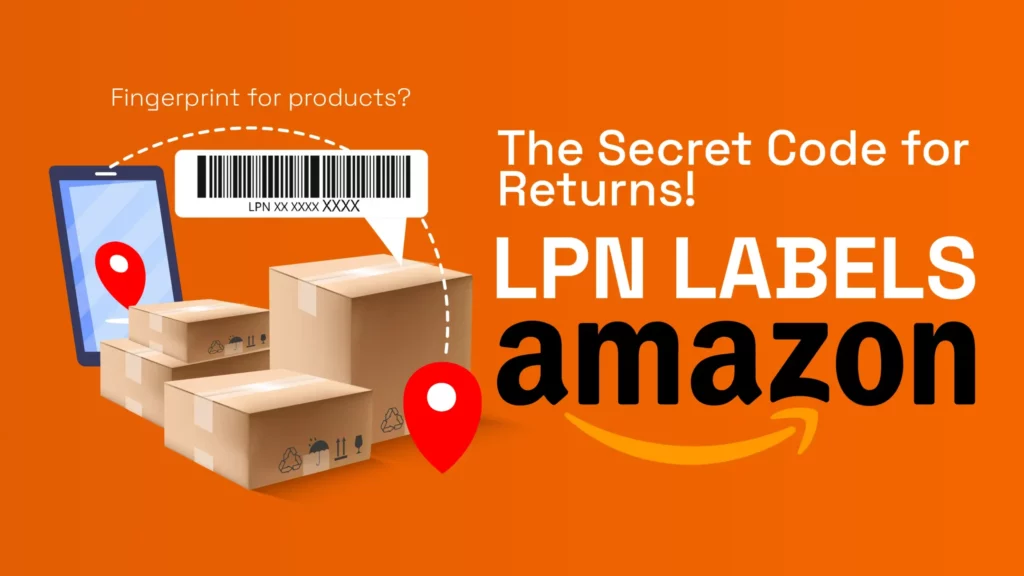
An Amazon LPN label (License Plate Number) is a unique barcode that Amazon uses to track individual items, especially when they are returned. Think of it as a fingerprint for products, helping Amazon and sellers identify exactly which item is being processed, where it’s going, and what condition it’s in. The LPN barcode is essential for keeping things organized in Amazon’s massive warehouses and for ensuring that returned items are handled correctly. Now, let’s break it down in a fun way!
How Can the Amazon LPN Number Help a Seller Identify Amazon Returns?
The Amazon LPN number is like a name tag for each product. Imagine you run an online store and someone returns a package. How do you know what’s inside? Well, the Amazon LPN label makes it super easy! It lets sellers quickly figure out exactly what’s being returned. Whether it’s a book, a toy, or some funky socks, the LPN barcode on Amazon items helps sellers know what to do with the returned product, whether to resell it, repair it, or toss it.
Why Does Amazon Use an LPN Sticker?
Amazon is all about speed and accuracy. With millions of items flying around in warehouses, things could get messy. That’s why Amazon slaps an LPN sticker on items, especially when they are returned. The LPN label on Amazon makes sure each product stays in its proper place and doesn’t get mixed up with other stuff.
For example, let’s say someone returns a t-shirt, but the package gets jumbled up with electronics. The Amazon LPN barcode makes sure Amazon employees don’t mix the t-shirt with a phone charger! It’s a little code that says, “Hey, this is me!” to the warehouse robots and workers.
What Does the Amazon LPN Sticker Look Like?
An Amazon LPN sticker is pretty plain, it’s just a small white or yellow label with black text. You’ll see the letters “LPN” followed by a bunch of numbers and letters. It might look boring, but it’s like a superhero in disguise, keeping everything organized! So next time you see an Amazon LPN label, know it’s there to make sure things don’t go haywire in the warehouse.
How Does the Amazon LPN Number Work?
The LPN number on Amazon products works like a secret code. When an item moves around the warehouse, Amazon’s system generates a unique LPN number for it. Every time the item is scanned, the system knows where it is and what’s happening with it.
For example, you return a book to Amazon. They stick an LPN barcode on it, and that number follows the book everywhere it goes, through the warehouse, into storage, or back to the seller. It’s like leaving a digital trail that helps Amazon track the item’s journey, making sure nothing gets lost!
How Do I Find the LPN Number Sticker?
If you return something to Amazon, you might notice a little sticker with an LPN number on the product or its packaging. It’s usually placed in an easy-to-scan spot so the warehouse robots and workers can keep track of the item. Look closely at the box or bag, and you’ll probably spot the Amazon LPN sticker there!
How Can I Find the LPN Number in My Return Reports?
For sellers, tracking returns is super important. Amazon provides return reports with the LPN number for each returned product. If you’re a seller, you can find the LPN number in the Return Reports section of your Amazon Seller Central account. Here’s how:
Log in to Seller Central
Go to Reports and click on Fulfillment.
Select Return Reports or Inventory Adjustments
Find the Amazon LPN number linked to each return.
These reports help sellers keep track of returned items and figure out if they’re ready to be resold or need to be fixed. It’s like using a checklist to make sure everything is in order.
Why Are Amazon LPN Return Labels Important?
Amazon LPN labels are super important for keeping the warehouse running smoothly. Imagine if Amazon didn’t use these labels, things would get lost, mixed up, and it would be chaos! With LPN return labels, sellers can:
Track Returns: The Amazon LPN label helps sellers know exactly what’s being returned.
Check Product Condition: The LPN number lets sellers figure out if the returned item is still in good shape.
Manage Restocking: The LPN barcode Amazon uses helps sellers restock or refund items quickly and correctly.
In short, without the LPN sticker, Amazon’s return system would be a mess. But thanks to these little labels, everything stays organized and on track!
Why Amazon Return Data Becomes a Blind Spot for Scaling Brands
For early-stage sellers, LPN labels and returns often feel like an isolated Amazon issue. Something to explain, work around, or escalate to support.
But for scaling brands, return data becomes something far more dangerous: a blind spot.
When LPN labels appear frequently, they are not just signals of individual returns. They point to deeper issues across:
Inventory handling and fulfillment patterns
Product listing clarity and expectation gaps
Customer experience friction that inflates refunds
Hidden revenue loss that never shows up in ad dashboards
The problem is that Amazon surfaces these issues in fragments. Case logs, return reasons, account health alerts. None of them connect directly to traffic quality, demand signals, or true revenue impact.
This is where most brands stall.
They know what is happening, but not why it is happening repeatedly, or how returns are quietly distorting performance metrics like ROAS, conversion rate, and lifetime value.
At scale, return behavior is not a support issue. It is a data intelligence problem.
Brands that win on Amazon do not just reduce returns. They connect return patterns to demand quality, search behavior, and downstream revenue outcomes, then act on that insight.
That is the difference between reacting to Amazon issues and operating with control.
Brands scaling on Amazon need visibility into return drivers, not just explanations. We help operators connect platform data to revenue impact so decisions are driven by clarity, not guesswork.
👉 Explore how Market Aspex can help you clarify your data and scale with confidence.
How to Reduce LPN-Related Issues on Amazon
While LPN labels are part of Amazon’s internal return process, sellers are not powerless. Brands that see recurring LPN issues typically share one thing in common: preventable friction earlier in the customer journey.
To reduce the frequency and impact of LPN-labeled returns, sellers should focus on:
Product listing accuracy Ensure titles, bullet points, images, and variations match exactly what the customer receives. Mismatches between expectation and reality are one of the most common drivers of returns.
Clear condition signaling New, refurbished, open-box, or used conditions must be unmistakable. Ambiguity here increases inspection returns that trigger relabeling.
Packaging consistency Products that arrive damaged or appear tampered with are more likely to be returned and relabeled. Consistent, protective packaging reduces unnecessary inspections.
Return reason monitoring Patterns matter more than individual returns. Repeated reasons like “not as described” or “wrong item sent” often precede higher LPN activity.
Reducing LPN labels starts long before a product is returned. It starts with controlling expectation, fulfillment, and feedback loops.
What Sellers Can Do Operationally
Operationally mature sellers treat LPN labels as signals, not surprises.
Instead of reacting to individual cases, they focus on system-level controls:
Audit return data regularly Look beyond surface-level metrics. Track return reasons by SKU, fulfillment method, and traffic source to identify trends early.
Align fulfillment and inventory workflows Inventory that changes hands frequently between warehouses, prep centers, or fulfillment methods is more prone to relabeling during inspections.
Document product changes Even small changes to materials, packaging, or suppliers can increase returns if listings are not updated immediately.
Connect returns to performance metrics Returns affect more than inventory. They distort conversion rates, advertising efficiency, and customer lifetime value when left unaccounted for.
At scale, operational discipline is not about fixing one issue at a time. It is about building visibility across the entire demand-to-delivery cycle.
Final Thoughts
So, what’s the deal with Amazon’s LPN labels? They’re tiny but mighty! These little stickers make sure that everything in Amazon’s warehouses stays organized, even when things get returned. Whether you’re a seller or a shopper, the LPN barcode is working behind the scenes to keep things running smoothly.
Next time you return something to Amazon, give a nod to the Amazon LPN sticker; it’s doing all the hard work, so you don’t have to.
FAQs and Next Steps
Do LPN labels mean my account is at risk? Not necessarily. Occasional LPN labels are normal. Risk increases when they appear frequently or alongside other account health warnings.
Can sellers remove LPN labels themselves? No. LPN labels are assigned and managed internally by Amazon. Sellers can only reduce the conditions that trigger them.
Do LPN labels affect inventory accuracy? They can. Relabeled items may be separated from original inventory, which can complicate tracking and reconciliation.
What should I do if LPN labels keep appearing? Recurring LPN activity is a sign to step back and evaluate listings, fulfillment workflows, and return data holistically rather than treating each case individually.
Step into the extraordinary world of 3D art, where imagination knows no bounds and creativity reigns supreme. In recent years, 3D art has emerged as a groundbreaking medium that captivates audiences with its immersive visuals and limitless possibilities. From intricate sculptures to interactive virtual environments, 3D art is reshaping the way we experience and interact with digital content.
As the realm of 3D art continues to expand and evolve, it raises thought-provoking questions about its impact on search engines, e-commerce platforms, and the broader digital landscape. Let’s embark on a journey through this enchanting realm and explore the transformative power of 3D art.
1. How does 3D art elevate search engine algorithms to new heights?
In the age of visual storytelling, 3D art is a game-changer for search engines like Google, propelling visual content to the forefront of online discovery. By harnessing the immersive capabilities of 3D models and animations, artists and businesses can captivate audiences, boost engagement, and enhance their online presence. Embracing 3D art can not only drive traffic to websites but also unlock new avenues for creative expression and innovation.
2. Can 3D art redefine the e-commerce experience and drive sales to new peaks?
Imagine a world where shopping becomes a visually stunning and interactive adventure, thanks to the magic of 3D art. By integrating high-quality 3D assets into e-commerce platforms like Amazon, sellers can create captivating product experiences that resonate with customers on a deeper level. Embracing 3D art in online stores can differentiate products, increase conversion rates, and set sellers apart in a competitive marketplace. The initial investment may seem daunting, but the potential rewards are well worth the journey.
3. What is the process of creating captivating 3D product renderings, and how can sellers leverage them to enhance their online presence?
The journey of bringing products to life in captivating 3D detail involves a meticulous process of modeling, texturing, lighting, and rendering. By collaborating with skilled 3D artists or utilizing specialized software tools, sellers can transform their product concepts into stunning visual representations that showcase every detail and dimension. Leveraging 3D product renderings on e-commerce platforms can elevate product presentation, build customer trust, and drive engagement, ultimately leading to increased sales and brand recognition.
4. How can sellers harness the power of 3D art to craft unforgettable brand experiences and drive customer engagement?
By infusing their online presence with captivating 3D visuals, sellers can create immersive brand narratives that resonate with their target audience. Whether showcasing products in stunning 3D detail, crafting interactive marketing campaigns, or building virtual experiences that transport customers to new worlds, 3D art offers endless possibilities for creativity and storytelling. Embracing 3D art is not just an investment in visuals; it’s an investment in forging meaningful connections with customers and building a brand that stands the test of time.
In conclusion, the world of 3D art is not just a realm of creativity; it’s a gateway to limitless innovation, engagement, and growth in the digital landscape. By embracing the transformative power of 3D art, individuals and businesses can elevate their online presence, captivate their audiences, and stand out in a competitive marketplace. The journey of integrating 3D art into search engines, e-commerce platforms, and creative endeavors may present challenges, but the rewards are immeasurable.
Let’s bring your vision to life in stunning three-dimensional detail. Embrace the future of 3D art and embark on a journey of creativity, innovation, and success. The possibilities are endless let’s work together to showcase your products in their best light, captivating your audience like never before. At Market Aspex, we’re committed to helping you unlock these possibilities and transform how your products are seen and experienced. Let’s collaborate to create unforgettable experiences that elevate your brand and leave a lasting impression on your customers.
As marketers and brand owners, we are facing unprecedented challenges, particularly due to users’ reluctance to share their insights. Consumers are increasingly concerned about privacy, especially as they become more tech-savvy and aware of how their data is being collected and used. However, as a marketer and brand owner, it’s essential to recognize the importance of data in measuring website traffic and analytics, tracking customer behavior, and optimizing campaigns.
So, if you’re trying to navigate the tricky waters of balancing privacy with delivering a top-notch online experience to your customers, there are a few things you can do. One option is to explore alternative tracking methods, like server-side tracking. This approach could be a game-changer for you because it may not be impacted by cookie settings.
Let me explain – server-side tracking involves monitoring user behavior on the server side rather than through cookies on the client side. This can provide you with more accurate data and help you avoid the issue of users denying cookies. Plus, it’s a great way to ensure that you’re still collecting the data you need to measure website traffic, track customer behavior, and optimize your campaigns.
Another way to gather information about website users is by tracking their device, browser, and IP address. This can still give you valuable insights into how users behave on your website, even if they don’t allow cookies. However, it’s important to keep in mind that this data might not be as extensive as the data you get from using cookies.
Another thing to consider is TRANSPARENCY! To win over your customers, you gotta be as transparent as a clean window. Let ’em know what data you’re collecting and why, and get their permission before you dig into their personal info. Trust us, nobody likes a sneaky data collector.
In today’s digital age, privacy is the new black. Whether you’re trying to optimize your campaigns, track customer behavior, or measure website traffic, it’s important to do it in a way that’s ethical and transparent. So, don’t be the marketer who’s as trustworthy as a used car salesman. Instead, develop data collection and use practices that prioritize privacy while still getting you the insights you need. Your customers will thank you for it!
In conclusion, privacy is a crucial consideration for marketers today and also for your brand. By adopting alternative tracking methods, focusing on collecting data from device, browser, and IP address of the user, and being transparent about data collection and use practices, you can balance privacy with providing a great online experience for your customers. Let us help you develop a data collection and use strategy that prioritizes privacy and builds trust with your customers or potential new customers.
Shopping cart abandonment is an ongoing challenge for ecommerce businesses, causing frustration and missed revenue opportunities. However, with the right strategies and tactics in place, you can effectively recover lost sales and increase your overall conversion rates.
First and foremost, it’s essential to streamline the checkout process and reduce any unnecessary friction points. Ensure that the steps required to complete a purchase are clear, concise, and user-friendly. Simplify form fields, provide guest checkout options, and offer multiple payment methods to cater to diverse customer preferences.
Building trust during the checkout process is crucial to combatting abandonment. Display trust symbols, security badges, and SSL certifications prominently to assure customers that their personal and payment information is secure. Incorporate transparent and straightforward return policies to alleviate any concerns about buyer remorse.
One of the most effective strategies for recovering abandoned carts is sending well-timed and personalized emails. Implement automated email sequences that remind customers about their abandoned items, offer incentives such as discounts or free shipping, and create a sense of urgency by highlighting limited stock or time-limited offers. Personalize these emails with the customer’s name, abandoned items, and relevant recommendations to enhance engagement and increase the chances of conversion.
In addition to email campaigns, consider utilizing exit-intent pop-ups. When a user shows signs of leaving the website, trigger a pop-up message that offers a last-minute discount or encourages them to reconsider their decision. These exit-intent pop-ups can capture attention, re-engage potential customers, and convince them to complete their purchase.
Remarketing campaigns are another powerful tool to recover lost sales. By utilizing platforms like Google Ads or Facebook Ads, you can retarget customers who have abandoned their carts with customized ads that showcase the abandoned products, highlight special promotions, or provide additional incentives to revisit your website and make a purchase.
Regularly analyze and monitor cart abandonment data to identify common patterns and potential issues. Pay attention to specific product categories or pages that experience higher abandonment rates and optimize those areas accordingly. A/B testing different elements of the checkout process, such as button colors, placement, or wording, can help identify the most effective strategies for reducing abandonment.
Remember that every abandoned cart represents an opportunity to recover a sale and build customer loyalty. By implementing a comprehensive approach that combines streamlined checkout processes, personalized email campaigns, exit-intent pop-ups, and strategic remarketing efforts, you can effectively navigate shopping cart abandonment and improve your ecommerce conversion rates.